

AI models can already write code, answer questions, and analyze information on their own. The harder question is what happens once you actually want an assistant to search your own database, check a customer's real order, read a file from disk, or trigger something inside an external application.
That's the gap Model Context Protocol, MCP, is built to close.
MCP is a standardized way for AI applications to connect to external tools and data sources. Instead of hand building a separate integration for every single AI application you work with, developers can expose reusable capabilities through MCP compatible servers once, and reuse them across every compatible client afterward.
What Model Context Protocol Actually Is
It's an open protocol defining how AI applications talk to external tools, resources, and prompts, essentially a common connection standard between an AI application and whatever services it actually needs to reach.
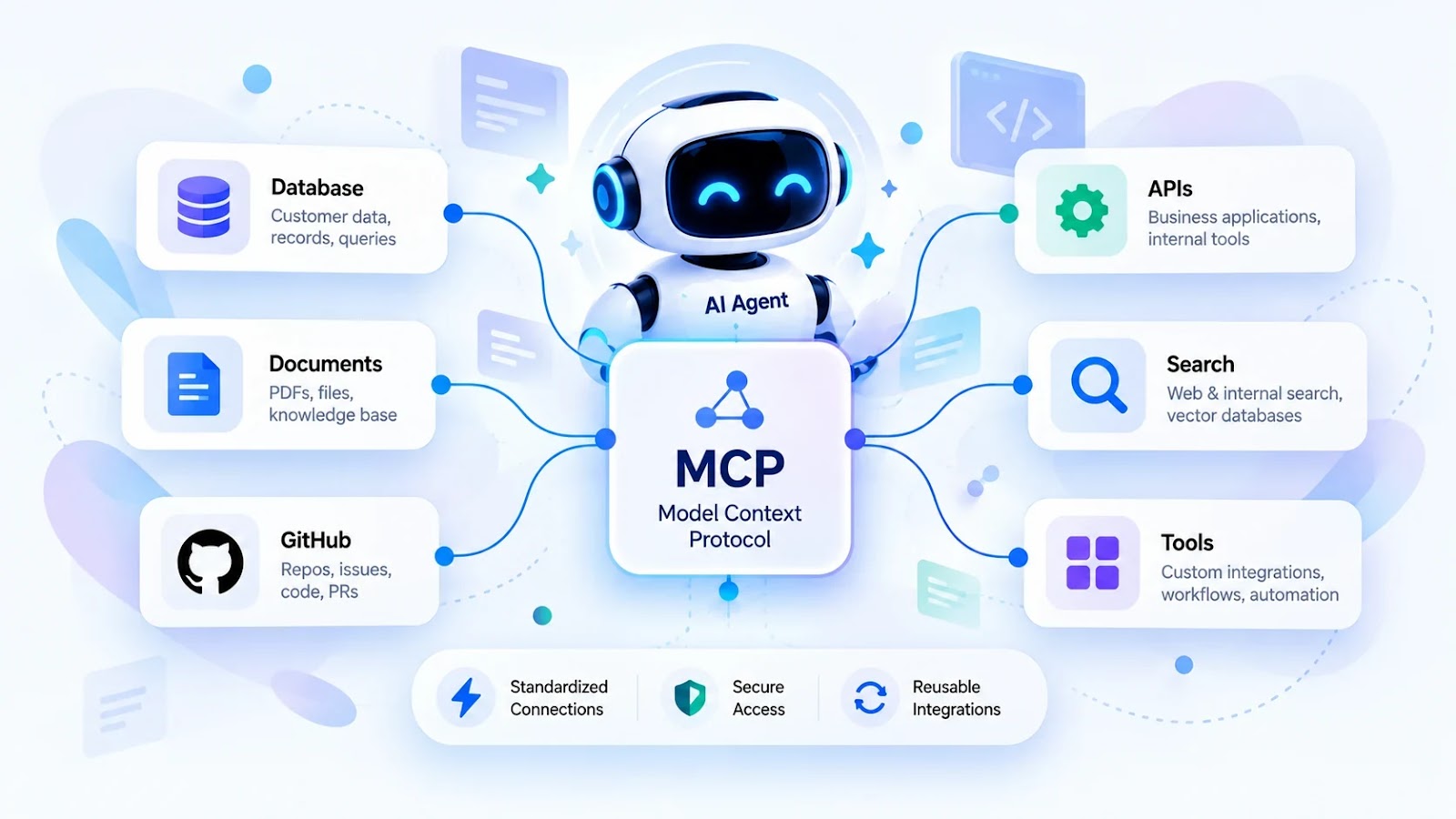
An assistant might need to reach a database holding customer information, a file system holding project documents, a GitHub repository and its issues, an internal business API, or a search tool and other external services. MCP standardizes those connections so the integration work gets reused across compatible clients and servers instead of rebuilt from scratch for each one.
How MCP Actually Works
An MCP based system generally has three core pieces.
The MCP host is the actual AI application the user interacts with, managing the conversation and coordinating which tools get used.
The MCP client manages the communication between the host and a given MCP server.
The MCP server exposes specific capabilities, searching documents, retrieving records, calling an approved API, whatever that server was actually built to do.
A typical flow looks like this. A user asks an assistant to find a customer's latest order. The application identifies an available order lookup tool. The client sends a request to the relevant server. The server validates access and retrieves only the information it's actually permitted to return. That result comes back to the application, and the assistant explains it to the user in plain language.
Worth being clear about one thing. MCP doesn't make a model independently capable of reaching every system on its own. The application still has to provide the right tools, the right permissions, and the right connections for any of this to actually work.
MCP Versus Traditional API Integration
Traditional APIs remain essential for connecting software systems to each other. MCP gives compatible AI applications a standardized way to discover and invoke tools specifically.
| Aspect | Traditional API | MCP |
|---|---|---|
| Main purpose | Expose application functionality | Standardize tool and context access for AI applications |
| Integration effort | Often needs application specific integration code | Common protocol shared across compatible clients and servers |
| Tool discovery | Defined by documentation or custom logic | Can use protocol defined discovery |
| Authentication | Depends entirely on the API | Depends on the server and transport configuration |
| Best fit | General software to software communication | AI applications needing reusable tool connections |
MCP doesn't replace REST APIs or any other existing interface. An MCP server can simply act as an adapter sitting around an existing API, letting an AI application reach that same functionality through one consistent interface.
What Changed in MCP's 2026 Specification
The official specification released on July 28, 2026 brought real changes aimed at scalability and interoperability.
A stateless protocol core means the Streamable HTTP transport no longer needs protocol level sessions or the earlier initialization handshake. That statelessness makes it considerably easier to distribute workloads across multiple server instances without relying on shared protocol session storage. A new server slash discover method gives clients a standard way to discover server capabilities. An extensions framework lets additional capabilities evolve on their own without forcing every new feature into the core protocol. And the specification tightened its authorization related behavior and guidance meaningfully.
These changes make MCP considerably more production ready than earlier versions, though any real application still needs proper deployment, authentication, monitoring, and compatibility testing layered on top regardless of the protocol version. The full details are in the official MCP specification announcement at blog.modelcontextprotocol.io.
A Practical Example: Building an MCP Server in Python
Say you're running a Python based customer support application and want an assistant to retrieve customer information through a genuinely controlled tool rather than open database access. You can expose a single function through an MCP server instead of building a separate custom tool interface for every compatible client you might add later.
A simplified example using the Python MCP SDK:
from mcp.server.fastmcp import FastMCP

mcp = FastMCP("Customer Support")

@mcp.tool()
def get_order_status(order_id: str) -> str:
    """Return the status of an authorized order."""
    # Replace this example with a real,
    # access controlled database lookup.
    return f"Order {order_id}: Processing"

if __name__ == "__main__":
    mcp.run()
Install the SDK with:
pip install "mcp[cli]"
This illustrates the basic idea of exposing one tool. It's not a production ready order service on its own. A real implementation still needs to authenticate the user, verify that they actually own the order being looked up, validate the input, and retrieve genuine order status from a real system. The official MCP documentation at modelcontextprotocol.io covers the rest in depth.
MCP Security: What Developers Actually Need to Handle
Connecting an AI agent to external systems opens real security considerations that need addressing from the very start, not bolted on afterward.
Use least privilege access deliberately. Give each tool only the permission it genuinely needs, a reporting assistant has no business automatically holding permission to delete records.
Validate every request on the server side, including access checks on individual records, not just at the tool level.
Protect credentials properly. Store secrets securely, validate tokens for their intended audience specifically, and never let an API key end up exposed inside a prompt or a log file.
Treat external content as untrusted by default. Documents and tool outputs can carry prompt injection attempts, and instructions buried inside retrieved content should never be allowed to override your actual security rules.
Require real confirmation for sensitive actions. Deleting records, sending a payment, or making any irreversible change should generally need explicit user approval before it executes.
Use HTTPS for any remote deployment, with appropriate transport security, logging, rate limits, and real monitoring sitting around it.
Microsoft's MCP security best practices guide, updated in September 2026, is worth reading in full if you're deploying this for real.
When MCP Is Actually Worth Using
Worth considering for AI assistants that need access to several business tools at once, customer support agents connected to internal systems, developer assistants working directly with repositories and issue trackers, research agents searching documents and approved external sources, and workflow automation systems combining AI reasoning with real actions.
It's not required for every AI project though. A simple chatbot that only generates text may not need any external tool integration at all. A direct API integration can be perfectly sufficient when an application only has one fixed connection to maintain. Choose whichever architecture actually solves your real problem without adding complexity nobody asked for.
Final Thoughts
AI applications get genuinely more useful once they can interact with the systems people already use day to day. MCP gives developers a standardized way to build that connection between an AI application and external tools, while existing APIs keep handling the underlying business operations the way they always have.
The 2026 specification updates make scalability, interoperability, and secure authorization considerably more important for anyone actually running this in production, not just prototyping it.
The real takeaway is simple. MCP isn't a replacement for AI models or for APIs. It's a protocol that helps connect an AI application to tools and data in a consistent, reusable way. Start with one genuinely useful integration, secure it properly from day one, test its actual behavior under real conditions, and only expand once your application genuinely needs more capability than that first integration covers.
Frequently Asked Questions
Is MCP the same thing as an AI agent? No. An AI agent is the application or system that uses a model to pursue a task. MCP is a protocol that can help that agent connect to external tools and resources along the way.
Does MCP replace REST APIs? No. REST APIs remain genuinely useful for application to application communication. MCP can provide an AI friendly interface sitting on top of an existing API rather than replacing it.
Can MCP be used alongside Python and FastAPI? Yes. Python has its own MCP SDK, and FastAPI can sit alongside an MCP implementation where it makes sense. The exact integration depends on the transport and architecture chosen for the project.
Is MCP secure by default just by using it? No. Using MCP doesn't automatically make an integration secure on its own. Developers still need to implement real authentication, authorization, input validation, careful credential handling, and genuine safeguards around any sensitive action.
Is MCP actually worth learning in 2026? If you're building AI assistants that need to interact with external applications, databases, or business tools, yes, it's genuinely worth the time. Start with the official documentation and test a small, read only integration first before enabling anything that can actually modify data.